Why Does Local Support Matter When Choosing a POS System?
Get the technology you need with the local, personal support your business deserves.
Quick Answer
Local POS support means you have someone who knows your business, understands your system, and can help when you need it—without spending an hour or two calling an 800 number.
At Pater Payments Company, Ray Pater works directly with business owners from initial setup through ongoing support. That includes menu building and programming, unboxing and setup, staff training, go-live support, and follow-up visits to make sure your team is comfortable using the system.
When you need help, you call Ray directly.
Your POS System Is Too Important to Your Business to Wait for Help
Think about what happens when there's a problem with your POS system during a busy Friday night.
Orders need to be entered. Credit cards need to be processed. Employees have questions. Customers are waiting.
That's not the time you want to call an 800 number, work your way through an automated menu, explain your business to someone you've never spoken with, and potentially spend an hour or two trying to get an answer.
Your time is valuable.
That's one of the biggest differences between working with Pater Payments Company and dealing with a large national provider.
With Pater Payments Company, your support starts with Ray.
Local Support Starts Before Your POS System Goes Live
Good POS support shouldn't begin when something goes wrong.
It should begin before your system is ever turned on.
Ray works with you to understand how your business operates and then helps configure your POS system around those needs.
Depending on your business and system, that can include:
- Building and programming your menu
- Setting up modifiers and add-ons
- Entering pricing
- Uploading inventory
- Adding employees
- Configuring payment processing
- Unboxing and setting up the equipment
- Testing the system before you go live
For a restaurant, that might mean programming a menu so a server can quickly select chicken, steak, or carnitas when someone orders street tacos.
For a retail business, it could mean importing thousands of inventory items and setting up barcode scanning.
The goal is the same: make the POS system fit the way your business actually operates.
What Happens on Go-Live Day?
Installing the equipment is only part of the job.
When it's time to go live, Ray spends time on location training the owner and employees so everyone understands how to use the new system.
That hands-on training can help employees become comfortable with the technology and gives them an opportunity to ask questions while they're actually using it.
And support doesn't end when Ray walks out the door.
He follows up and can return in the days after installation to make sure the owner and staff are comfortable and address questions that come up once they've had a chance to use the system in real-world situations.
What If I Need to Make Changes Later?
Restaurants and retail businesses change constantly.
Prices change. Menu items change. Employees come and go. Specials are added. New products arrive.
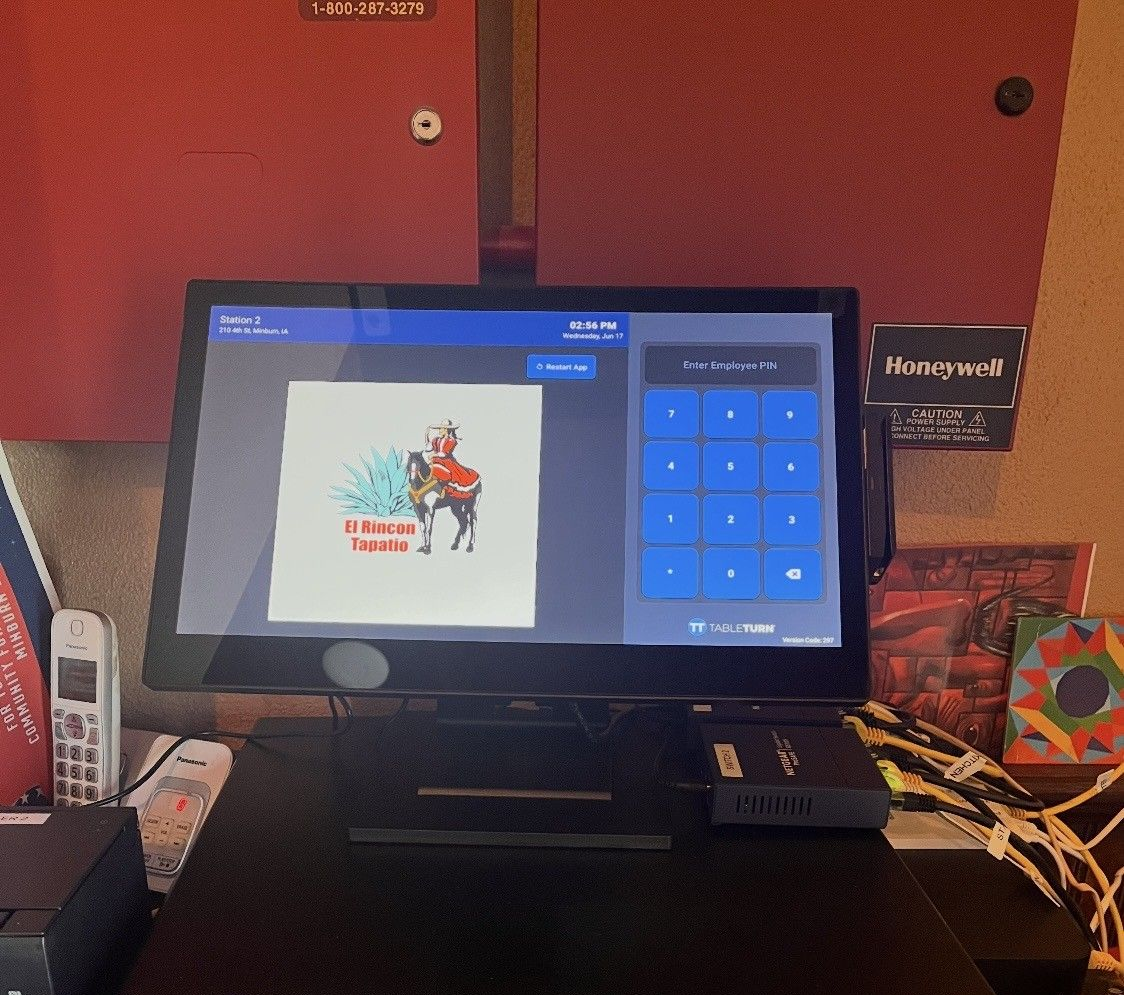
With TableTurn POS, many of those changes can be made remotely.
Depending on your setup, you or Ray can make updates such as:
- Changing menu items
- Updating prices
- Adding or removing employees
- Making programming changes
- Updating other system information
That means you don't necessarily have to be standing in front of the POS terminal to manage your business.
And if you'd rather have Ray make the change, you can call him directly for help.
Local Doesn't Mean You're Giving Up Technology
Choosing local support doesn't mean choosing less sophisticated technology.
Today's cloud-based POS systems can provide the technology and flexibility businesses expect while still giving you something that's increasingly difficult to find: a local person who knows your business and answers the phone.
Pater Payments Company works with multiple payment processors and POS solutions, including TableTurn POS, to help find the right fit based on each business's needs.
You're not simply buying a piece of equipment.
You're getting help selecting it, programming it, implementing it, learning it, and supporting it.
Why Choose a Local POS Provider?
For many business owners, the real value of local POS support comes down to a few simple things:
You know who to call.
You aren't starting over with a different support representative every time you have a question.
They know your business.
Ray has worked with you during setup and understands how your system is configured.
You receive hands-on training.
Your staff isn't left to figure everything out on its own.
Help doesn't end after installation.
Questions often arise after a system goes live, and ongoing support is part of the relationship.
You get personal service backed by technology.
Remote access and cloud-based capabilities allow many changes to be handled quickly without requiring an on-site visit.
Local POS & Payment Processing Support for Iowa Businesses
Pater Payments Company is based in Central Iowa and works with restaurants, retailers, service businesses, and other companies throughout Iowa.
Whether you're opening a new business, replacing an outdated POS system, or simply frustrated with the support you're receiving from your current provider, Ray can help you understand your options.
Call Ray directly and get the help you need.
www.paterpayments.com
Frequently Asked Questions About Local POS Support
What does POS system support include?
POS support can include system setup, menu or inventory programming, employee setup, staff training, troubleshooting, payment processing assistance, and ongoing help after installation. The exact services depend on your POS provider and system.
Will someone train my employees to use a new POS system?
With Pater Payments Company, yes. Ray provides hands-on training when the system goes live so owners and employees can learn how to use their new POS system and ask questions.
Can changes to my POS system be made remotely?
Yes, TableTurn POS allows many changes to be made remotely, including menu changes, pricing updates, and employee updates. This can make managing your business easier even when you aren't physically on location.
Why should I choose a local POS provider instead of a national company?
A local provider can offer a more personal relationship with someone who knows your business and system. Instead of beginning with an 800 number or unfamiliar support representative, Pater Payments Company customers can call Ray directly for assistance.
What should I ask about support before choosing a POS system?
Ask who you'll call when you need help, what hours support is available, whether you'll receive on-site training, what happens after installation, whether changes can be made remotely, and whether backup support is available when your primary representative isn't available.